
html tutorial - Area <area> tag in HTML - html5 - html code - html form
Learn html - html tutorial - area tag in html - html examples - html programs
- <area> tag defines an area by using image map.
- <area> element is nested in the <map> tag.
- It supports Global and event attributes.
- <area> tag belongs to Flow content and Phrasing Content category.
Syntax for <area> tag:
<map><area>Content here...</area></map>Differences between HTML 4.01 and HTML5 for <area> tag:
HTML 4.01
- nohref attribute supported in HTML4.
HTML5
- download, hreflang, media, rel, type attributes are new to HTML5.
Sample Coding for <area> tag:
Tryit<!DOCTYPE html>
<html >
    <head>
        <title>Wikitechy area Tag</title>
    </head>
    <body>
        <h2>Wikitechy Tutorials</h2>
            <img src="area.png"  alt="usemap" border="0" usemap="#map_name"/>
            <map name="map_name">
                <area shape="rect" coords="20,19,126,53"
                      href="https://www.wikitechy.com/step-by-step-html-tutorials/html-introduction" alt="HTML Tutorial"
                      target="_blank" />
                <area shape="rect" coords="22,83,126,125" alt="PHP Tutorial"
                      href="https://www.wikitechy.com/php/php-programming" target="_blank" />
                <area shape="circle" coords="73,168,32" alt="CSS Tutorial"
                      href="https://www.wikitechy.com/css/css-introduction" target="_blank" />
            </map>
    </body>
</html>
Code Explanation for <area> tag:
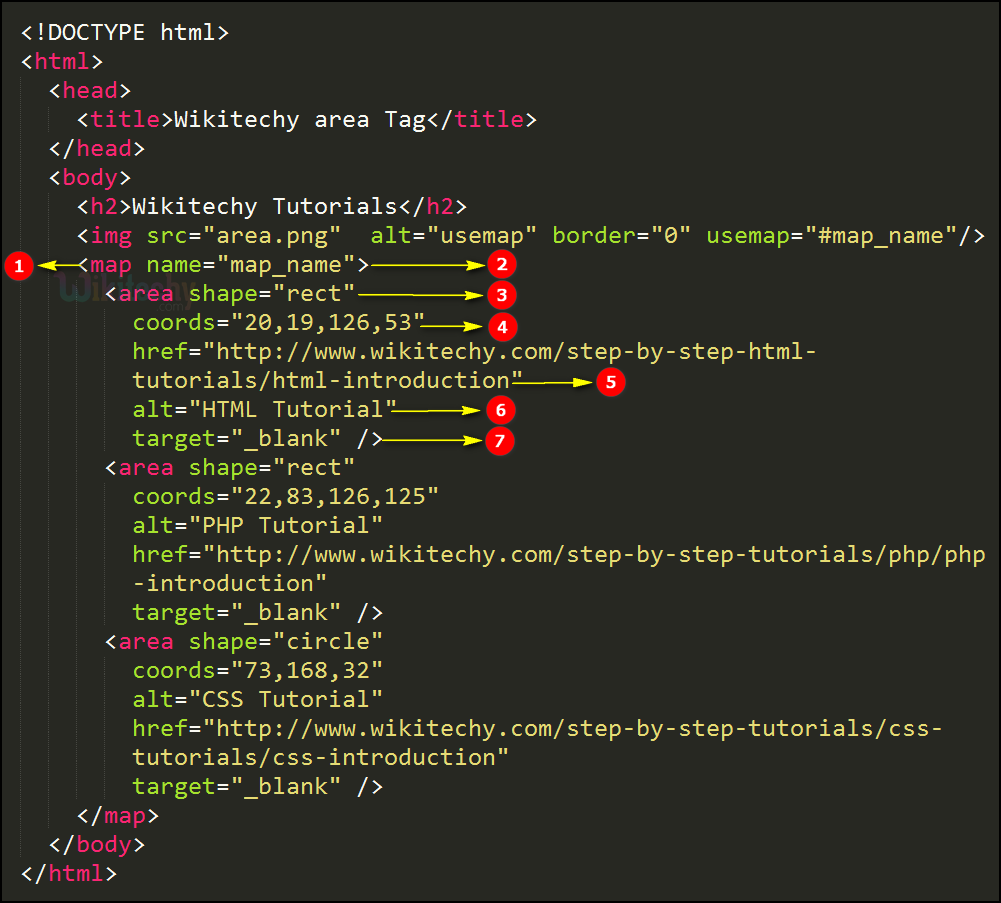
- <map> tag used to define list of area to map.
- name attribute used to define a name to the <map> tag which is used in usemap attribute in a <img> tag.
- shape attribute is used to define a rectangle shaped area to be map.
- coords attribute is used to co-ordinates of the rectangle as x0,y0,x1,y1.
- href attribute is used to set a target link to the mapped area.
- alt attribute is used to define alternate text for the area.
- target attribute is used to define that page will be opened in a new tab.
Output of <area> tag:
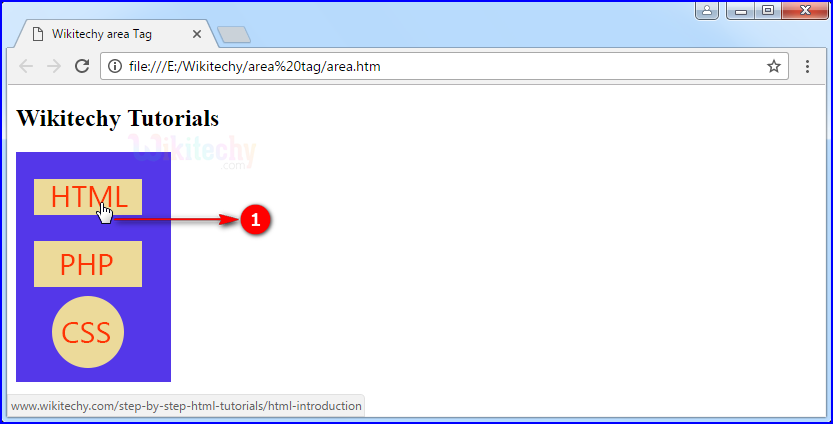
- When user click in the rectangle shaped “HTML” area that will be redirected to HTML tutorials.
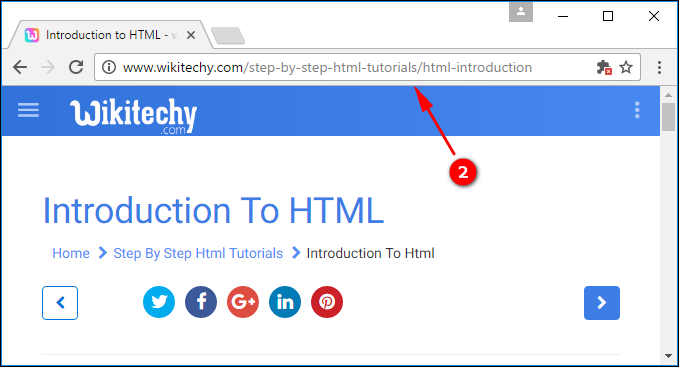
- That the HTML tutorials page will be displayed.
Attribute:
| Attribute | Value | HTML4 | HTML5 | Description |
|---|---|---|---|---|
| alt | text | Yes | Yes | Specifies an alternate text for the area. Required if the href attribute is present |
| coords | coordinates | Yes | Yes | Specifies the coordinates of the area |
| download | filename | No | Yes | Specifies that the target will be downloaded when a user clicks on the hyperlink |
| href | URL | Yes | Yes | Specifies the hyperlink target for the area |
| hreflang | language_code | No | Yes | Specifies the language of the target URL |
| media | media query | No | Yes | Specifies what media/device the target URL is optimized for |
| nohref | value | Yes | No | Specifies that an area has no associated link |
| rel | alternate author bookmark help license next nofollow noreferrer prefetch prev search tag |
No | Yes | Specifies the relationship between the current document and the target URL |
| shape | default rect circle poly |
Yes | Yes | Specifies the shape of the area |
| target | _blank _parent _self _top framename |
Yes | Yes | Specifies where to open the target URL |
| type | media_type | No | Yes | Specifies the media type of the target URL |
Browser Support for area tag:
 |
 |
 |
 |
 |
|---|---|---|---|---|
| Yes | No | No | No | Yes |