Learn html - html tutorial - Sandbox attribute in html - html examples - html programs
- The sandbox attribute is used to enable some set of restriction for iframe contents.
- Block form submission.
- Content is treated as being from a unique origin.
- Block script execution.
- Disable APIs.
- Prevent browsing context to run scripts.
- Block plugins.
- Block automatic triggered events.
- Space separated list of values to remove the specific restriction.
Syntax for sandbox attribute in HTML:
<iframe sandbox="value1 value2 value3">
Applies To:
sandbox Attribute Values:
| Value |
Description |
| (no value) |
Applies all restrictions |
| allow-forms |
Re-enables form submission |
| allow-pointer-lock |
Re-enables APIs |
| allow-popups |
Re-enables popups |
| allow-same-origin |
Allows the iframe content to be treated as being from the same origin |
| allow-scripts |
Re-enables scripts |
| allow-top-navigation |
Allows the iframe content to navigate its top-level browsing context |
Sample Coding for sandbox Attribute in HTML:
Tryit<!DOCTYPE html>
<html>
    <head>
        <title>Wikitechy sandbox attribute</title>
    </head>
    <body>
        <iframe src ="wikitechy-script.html" sandbox>
            <p>Browser not Supported.</p>
        </iframe>
    </body>
</html>
Sample Coding for wikitechy-script.html:
<!DOCTYPE html>
<html>
   <body>
       <button onclick="wikitechyAlert()">Click Me!</button>
       <script>
          function wikitechyAlert()
          {
            alert("This is Wikitechy Alert");
          }
       </script>
   </body>
</html>
Code Explanation for sandbox Attribute in HTML:
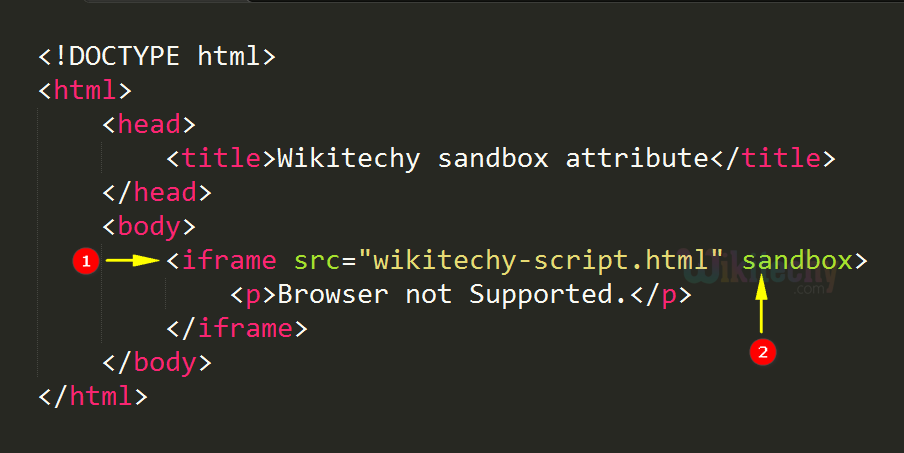
- <iframe> tag used to embed a inline frame, “wikitechy-script.html” will be embed to the current document.
- sandbox attribute is used to specify some restriction to the “wikitechy-script.html”.
Code Explanation for wikitechy-script.html:
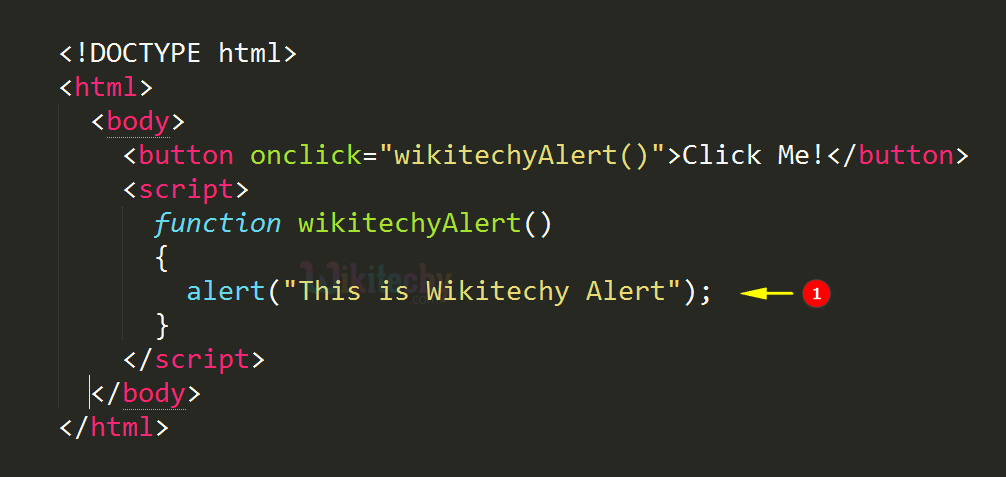
- The script shows an alert message as “This is Wikitechy Alert”.
Output for sandbox Attribute in HTML:
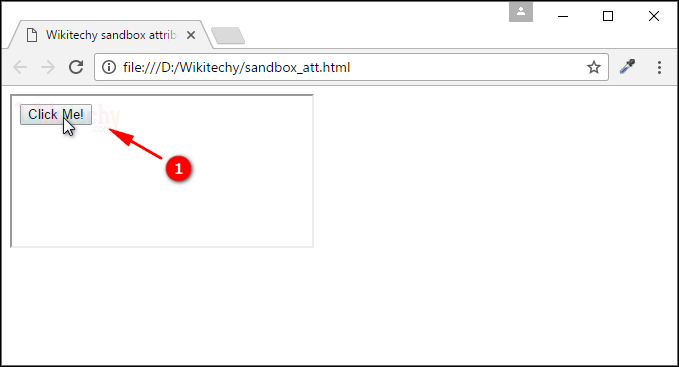
- When the user hit the Click me button that does not execute the script that was blocked by the “sandbox” attribute.
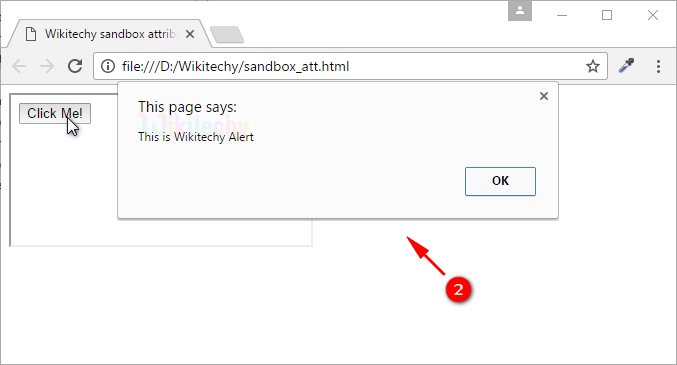
- If the sandbox attribute not presents the windows shows the alert message.
Browser Support for sandbox Attribute in HTML:
Related Searches to sandbox attribute in html
iframe sandbox
iframe sandbox not working
iframe sandbox cross domain
iframe sandbox cookies
iframe sandbox
html5 iframe example
allow-same-origin flag
allow-popups-to-escape-sandbox
html tutorialshtml editor html code html form html tutorial html color html color codes html table html img html5 html code for website html and css html programs html website free html editor html5 tutorial wysiwyg html editor html tutorial pdf html converter php tutorial html example html tutorial css tutorial html css html tags html basics code html html online html mailto html lang html tags list